

From your WinOLS project to a deliverable solution
Import an .OLS project, extract useful versions and turn them into reusable solutions for your clients.
How it works
- 01
Upload the project
Drop the .OLS file from the Auto-Tuning admin area.
- 02
Extraction & versions
The platform identifies available versions in the project.
- 03
Solution generation
You validate solutions that can be offered to clients.
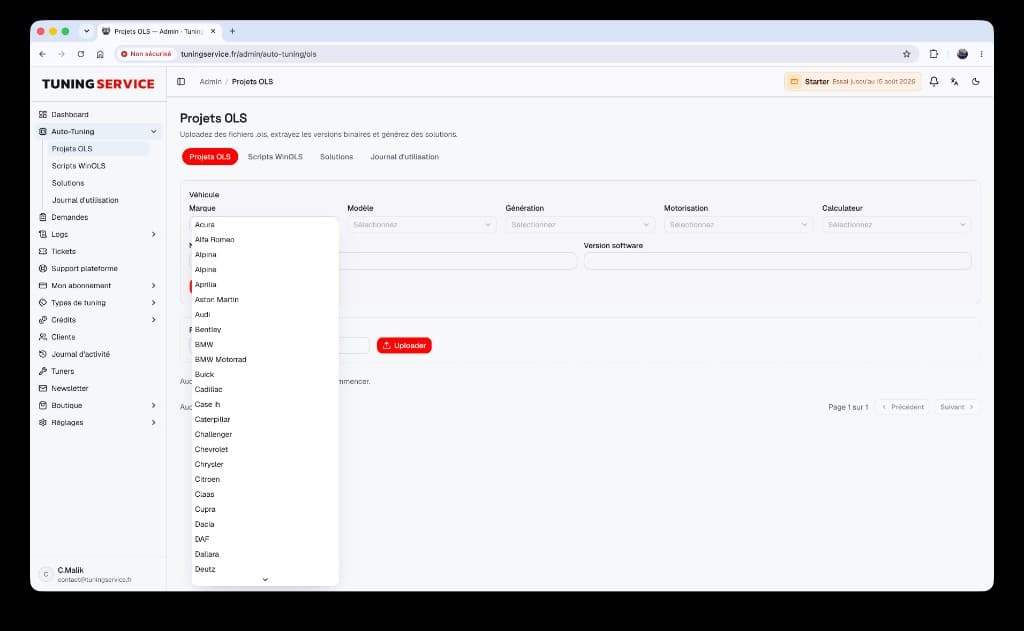
.OLS projects
Upload a WinOLS project, extract binaries and generate solutions.
Why it helps
Capitalize knowledge
Your WinOLS projects become a durable shop library.
Faster delivery
Covered cases are handled without rebuilding everything.
Consistency
Same client-folder logic as scripts and manual mode.
FAQ
- What is an .OLS project?
- A WinOLS project file containing versions and data needed to generate solutions.
- Do I need to automate everything at once?
- No. You can progressively validate solutions from each project.
- Do clients upload .OLS files?
- Usually not: they upload their ECU file; .OLS projects stay on the shop side.
- What data can an .OLS project contain?
- A WinOLS project can combine the original binary, map definitions, axes, vehicle comments and several modified versions. It is therefore a richer working base than a simple .bin file. The platform uses useful versions to prepare solutions without exposing the entire project to the client.
- How can I avoid publishing an .OLS solution too early?
- Treat import as a preparation step, then verify the source version, ECU details and expected result before making a solution available. You can work project by project and publish only validated cases. Manual processing remains available whenever file compatibility is uncertain.
- What is the operational difference between a script and an .OLS-derived solution?
- A WinOLS script describes a sequence of changes to replay, while an .OLS project preserves the complete context with its original binary and versions. In both cases, the goal is to publish a reliable solution. The choice depends on your existing WinOLS workflow and source material.
Ready to launch your white-label tuning platform?
Create your space, customize your brand and invite your first clients in a few minutes.